Unpixelate Text in Images
A screenshot that got resized into mush, a photo of a bill, a low-res scan — AI restoration can usually bring the words back. Run yours below, free. One honest limit up front: text that was deliberately blocked out is gone, and this tool doesn't attempt it.
Text becomes unreadable in images for a mundane reason: too few pixels per letter. A chat app shrinks your screenshot, a scan comes out at low DPI, a photo of a document gets compressed in transit — and suddenly each character occupies four blurry pixels. The letterforms are damaged, but traces of them survive.
AI restoration is unusually good at this case, because printed text is the most regular pattern a model ever learns. Our Standard tier cleans compression noise and upscales for free; the HD tier does full generative reconstruction — in our own test on a 300px bill photo it reproduced every line, down to the account number and the fine print.
- 01
Upload the image
JPG, PNG or WebP up to 10MB — a screenshot, a document photo, a scan. The worst copy you have is fine.
- 02
Pick a tier
Standard (free) handles mild blur and compression. For small print, codes or numbers you need to trust, use HD — it reconstructs letterforms instead of just sharpening them.
- 03
Compare and download
Drag the slider to check the text, then download at full resolution. Verify critical strings against a source when it matters — reconstruction is inference, not photography.
Drop a pixelated image here
JPG, PNG or WebP · up to 10MB
or paste from clipboard (⌘V)
Real runs from this tool
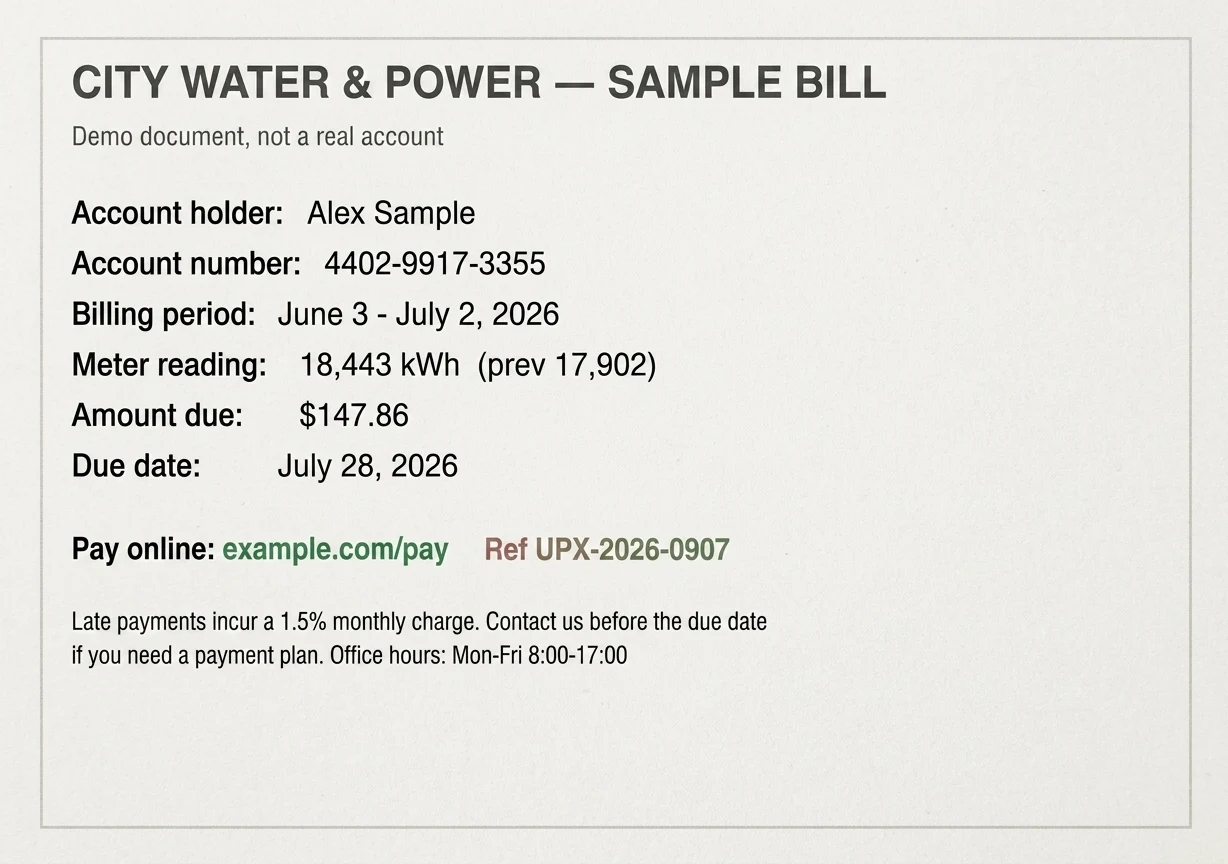
A 300-pixel-wide, heavily compressed sample bill. HD reconstructed every line correctly: the account number, the amount, the due date, even the two lines of fine print at the bottom.
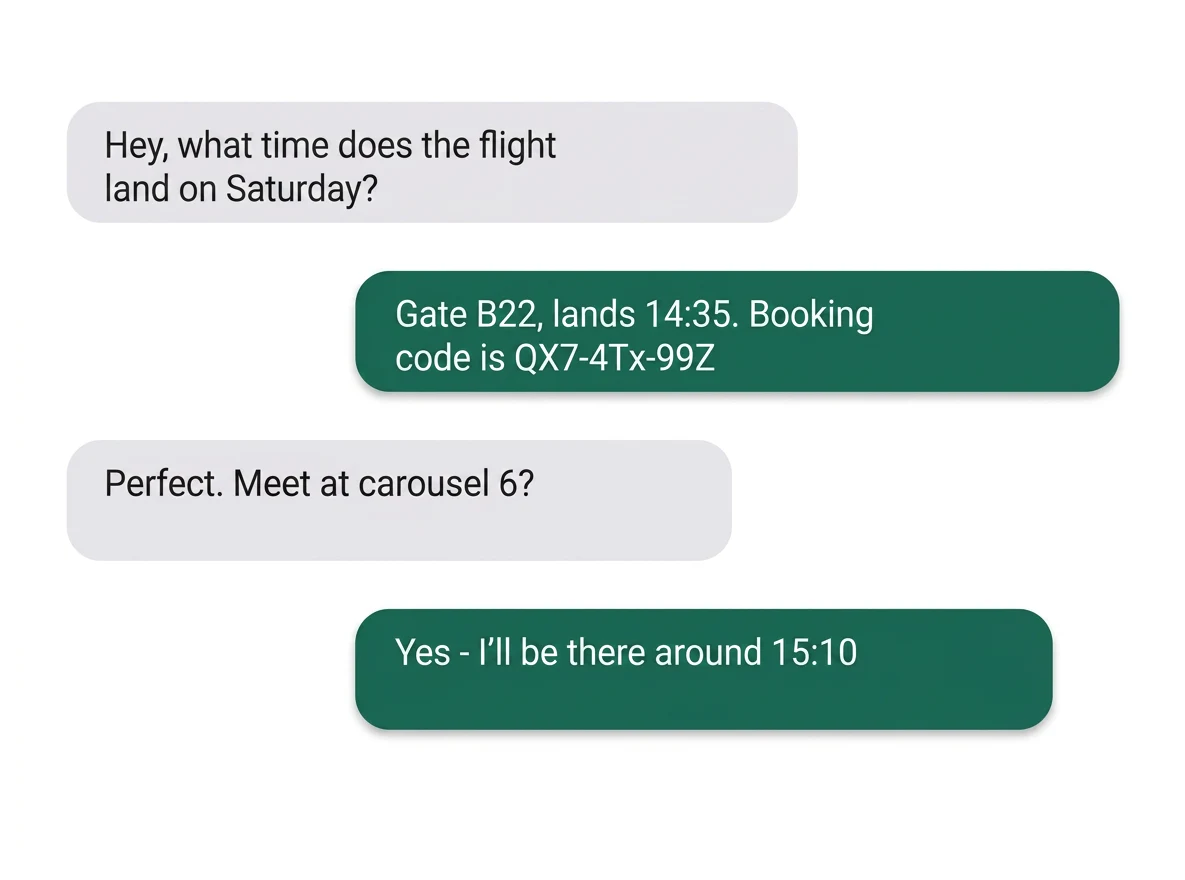
A 260-pixel screenshot of a chat thread. HD returned the booking code exactly (QX7-4Tx-99Z). The free Standard tier made it readable too — but rendered that code with three wrong characters, which is precisely why codes and numbers deserve the HD tier.
Both examples are demo documents with made-up data, degraded to the sizes shown, then restored by the exact production models. Nothing is retouched.
What it works on
Downscaled screenshots
Screenshots forwarded through chat apps get resized and recompressed on every hop. Restoration reverses the visible damage: block edges dissolve, letterforms come back to their shapes.
Photos and scans of documents
A bill photographed at arm's length, a low-DPI scan, a fax-era PDF — printed text on a flat background is the best case for reconstruction, and where HD shines on small print.
Low-resolution captures
Video-call slides, zoomed webinar frames, security-camera stills of signs: as long as the text was captured, just too small, there's usually something to bring back. From roughly 100px of height upward, results get reliable.
What it honestly can't do
Deliberately hidden text
If someone blocked out text to hide it, the information is no longer in the file — coarse pixelation averages it away. This tool does not attempt to recover deliberately obscured content, and per our acceptable-use policy we decline that use case entirely. Be skeptical of any tool that claims otherwise.
Certainty on tiny strings
Reconstructed characters are the model's best inference. In our tests HD reproduced an account number and a booking code exactly while Standard got three characters wrong — so treat recovered codes, IBANs and serials as leads to verify, never as evidence.
Handwriting and exotic scripts
The models are strongest on printed type. Neat handwriting often survives restoration; cursive and rare scripts are hit-and-miss, and the honest move is to try the free tier first and judge with your own eyes.
Unpixelating text: FAQ
More than text?
The same engine restores whole photos — faces, old scans, game captures. Start from the homepage, or read why images pixelate in the first place.