Unpixelate image online — make pixelated photos clear
Depixelate, sharpen and upscale blurry or low-resolution pictures with AI. Drop a photo, get a clean high-resolution version in about 10 seconds. Free to try, no signup.
Drop a pixelated image here
JPG, PNG or WebP · up to 10MB
or paste from clipboard (⌘V)
- Free standard results
- ~10 seconds
- Great on faces
- Uploads auto-deleted
Unpixelate a picture in three steps
- 01
Upload the pixelated image
Drag in a JPG, PNG or WebP — a low-res photo, a blurry screenshot, a scanned print. Up to 10MB.
- 02
Pick Standard or HD
Standard is free and fast. HD uses our strongest model for faces and fine texture. No prompts, no settings to learn.
- 03
Compare and download
Slide between before and after, then download the clean, high-resolution result. Nothing is watermarked.
Before and after, straight from this tool
Every pair below was produced by Unpixelate.ai itself: we shrank a clean image down to a heavily pixelated version, ran it through the tool, and kept the unedited output. Drag each handle to compare.

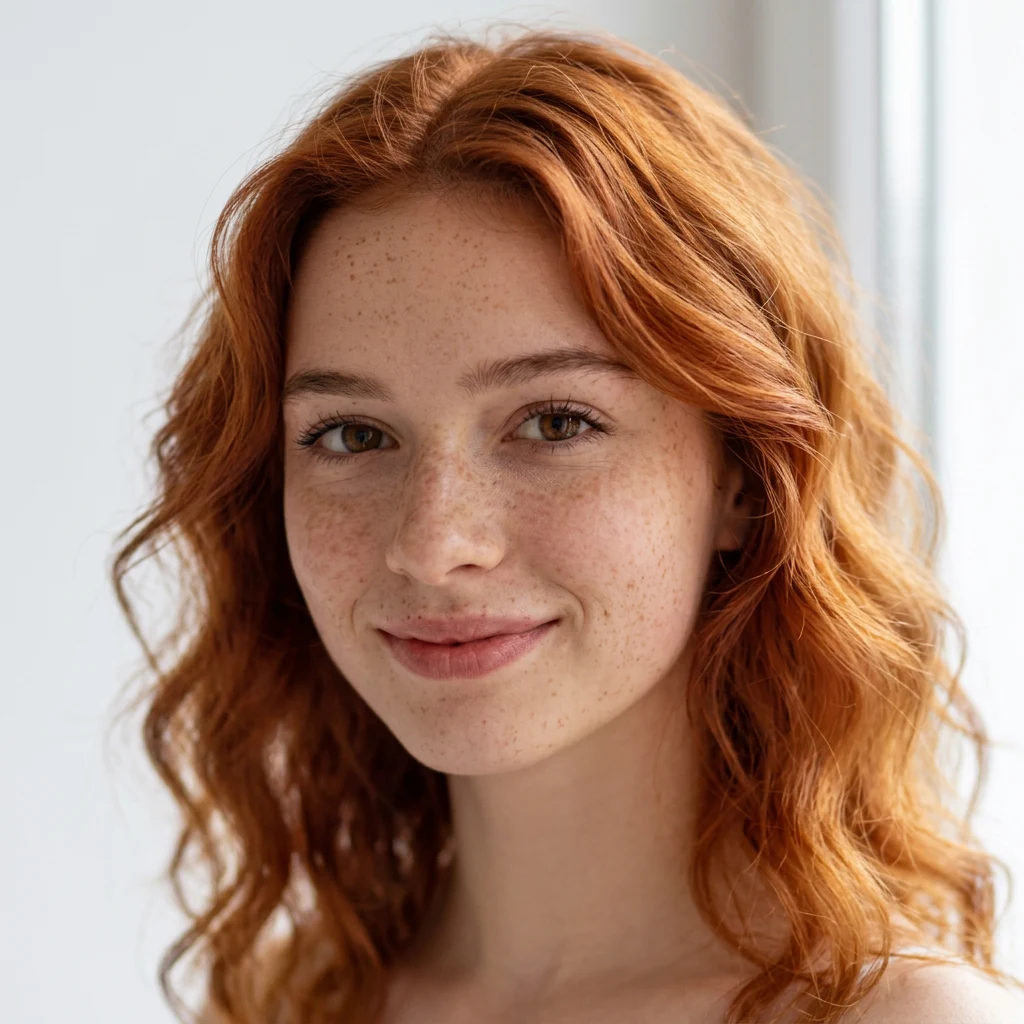
A 144×144 profile picture — roughly what messaging apps keep after compression — reconstructed by the HD tier into clean skin texture and individual strands of hair.
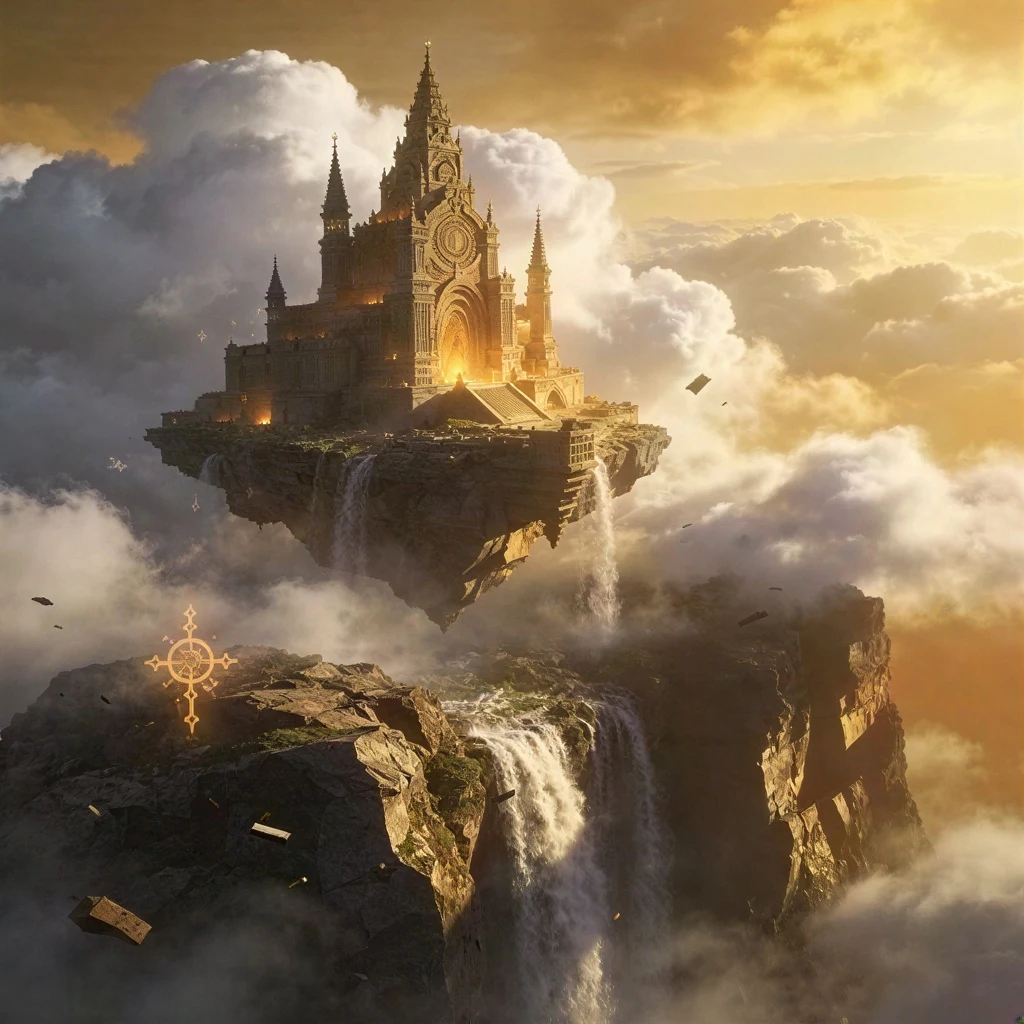
A 256px generation taken to a print-ready 1024px, keeping the fine architectural detail that the small version only hinted at.
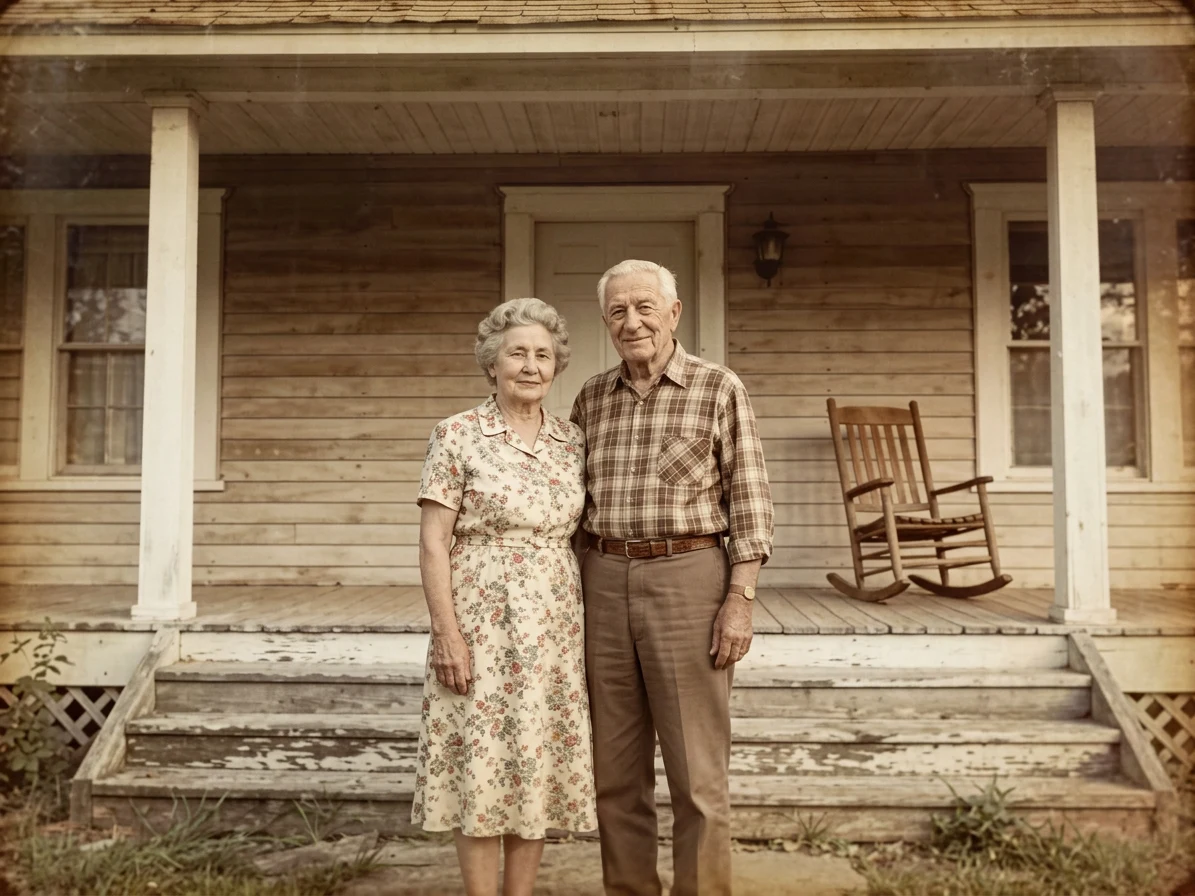
A small copy of a faded print. The HD tier recovers both faces along with the porch woodwork and fabric patterns behind them.
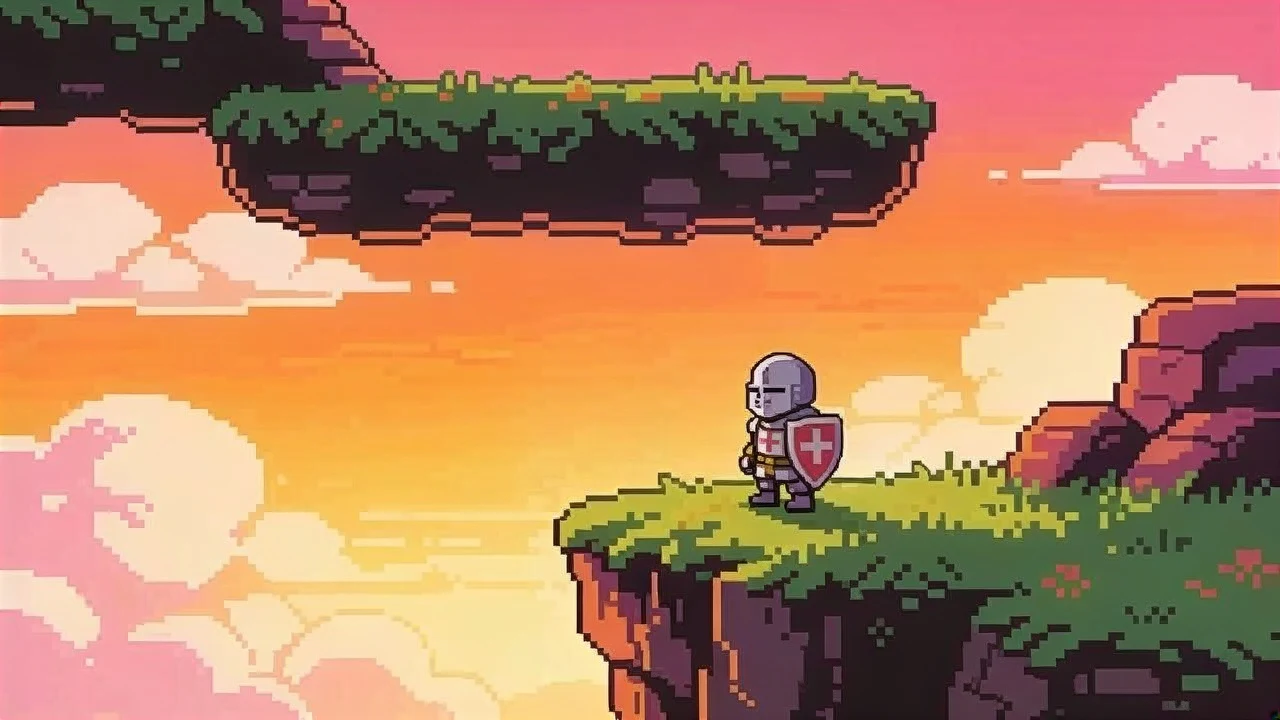
A 320×180 capture upscaled to 720p for streams and wallpapers — pixel-art edges stay sharp instead of smearing into mush.
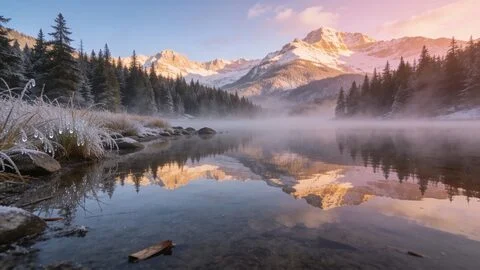
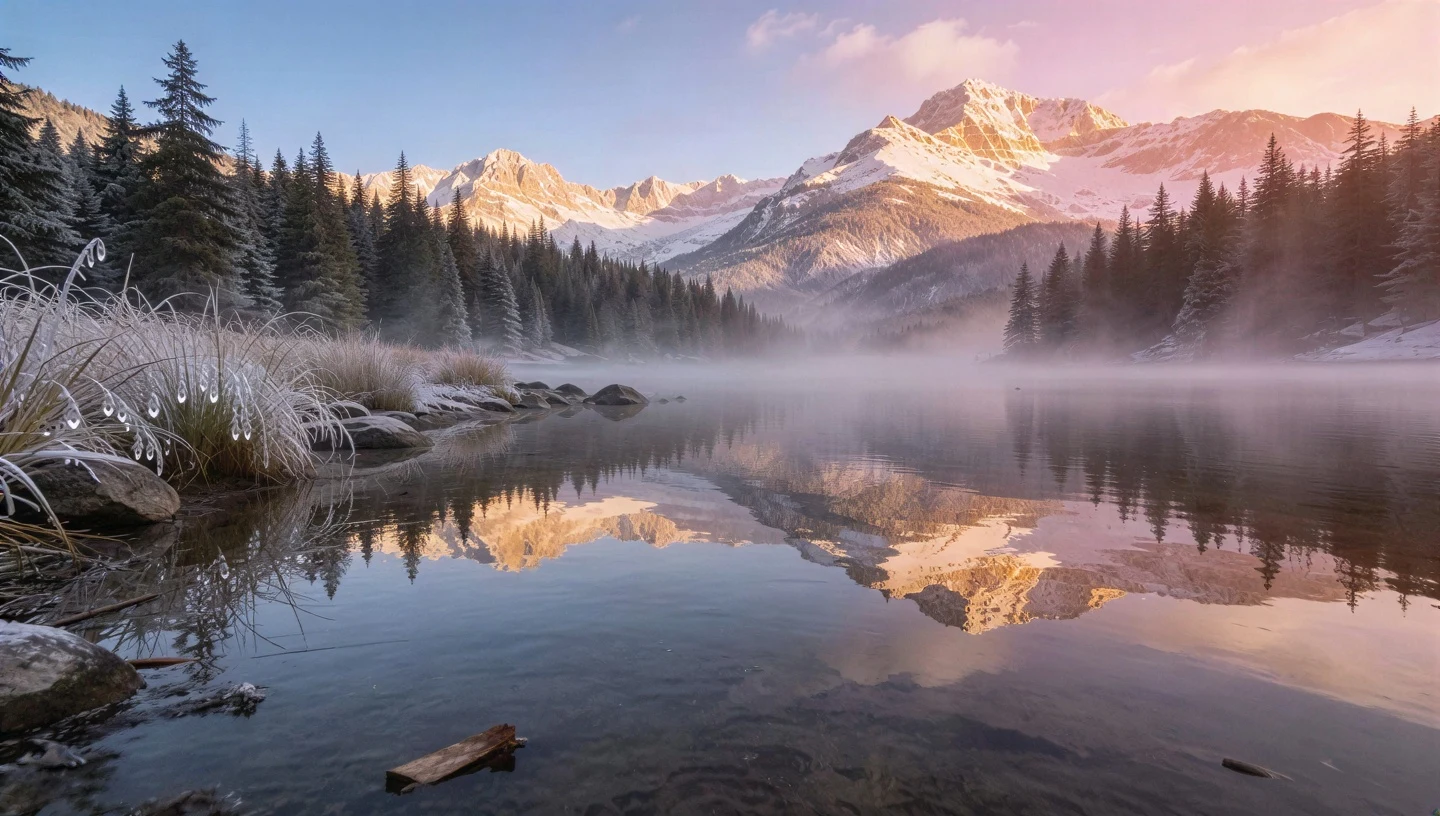
A photo crushed to 480px by repeated re-saves, rebuilt into a crisp 1440px-wide frame with the mist and reflections intact.
All sample sources are AI-generated images — no real people's photos are used as examples, and your uploads never appear on this page.
Built for the images that actually get pixelated
Low-res profile photos
Small avatars and thumbnails pulled from social apps become crisp enough to print.
Old scanned photos
Recover faces and detail from tiny scans and phone photos of prints.
Game and pixel art captures
Upscale sprites and captures cleanly for wallpapers and streams.
Compressed downloads
Fix JPEG blockiness from messaging apps and repeated re-saves.
Fix pixelated imageAI-generated images
Take 512px or 1024px generations to print-ready resolution.
Made for one job, and honest about it
- Real detail, not smearing
- Generative upscaling rebuilds edges and skin texture instead of blurring the grid away.
- Faces come first
- Both tiers include face enhancement; HD adds a dedicated facial-detail model.
- Free lane that stays free
- Standard quality is free every day — sign in for daily credits, pay only for HD.
- Private by default
- Uploads are processed in memory and auto-deleted. Your images are never used for training.
- No prompts, no knobs
- Upload, choose a tier, done. Advanced controls would not make the result better.
- Honest limits
- Pixelation destroys information; we recover what's plausible. Heavily censored text cannot be restored and we do not try.
How it actually works
Generative super-resolution, not stretching
Classic resizing — bicubic, Lanczos, the algorithms in Photoshop or your phone — can only spread the pixels you already have across a larger canvas, which is why enlarged images look soft or blocky. Our models work differently: a diffusion network treats your pixelated image as evidence and generates the sharper, higher-resolution picture that most plausibly matches that evidence. It has learned from hundreds of millions of photographs what edges, fabric, foliage and skin look like at high resolution, so instead of interpolating between blurry pixels it redraws the image with real texture. That is why the results above contain detail that simply is not present in the input.
Why faces come back so well
Faces are the best case for this technology, and both of our quality tiers include dedicated face enhancement. Human faces are highly structured — two eyes, predictable proportions, familiar skin and hair texture — so a model trained on faces has extremely strong prior knowledge to draw on. Even a 96×96 avatar carries enough information to anchor a convincing reconstruction. The HD tier goes further with a model specialised in facial detail recovery, which is what you see in the old-photo example: it does not just sharpen the face, it rebuilds pores, hair and catchlights in the eyes.
What it honestly can't do
Pixelation destroys information, and no AI can retrieve what is gone — it can only guess. For natural photo detail those guesses are statistically excellent, which is the entire point of the tool. But for content where the exact answer matters, guessing is not recovery: heavily pixelated text, license plates or faces reduced to a few blocks cannot be faithfully restored by us or by anyone, and a tool that claims otherwise is generating fiction. We'd rather be clear about that boundary — use Unpixelate AI for making low-resolution images genuinely look good again, not for reversing redactions.
Same goal, different words
People search for all three. Here is what each usually means and what this tool does with it.
Unpixelate
Remove the visible pixel grid from a low-resolution or heavily enlarged image and rebuild a sharp, higher-resolution version.
Depixelate
The same thing — a synonym used more often in Europe and in software docs. Both tiers handle it identically.
Unblur
Fix softness from focus or motion rather than a pixel grid. Our models sharpen mild blur too; extreme motion blur is a different problem.
Free to use. Pay only for HD.
Free
$0Standard quality, every day
- 2 runs/day without an account
- Daily credits when you sign in
- No watermark, full resolution download
Credits
from $6.90HD quality + more runs
- HD model for faces and texture
- Credit packs or monthly plans
- Commercial use included